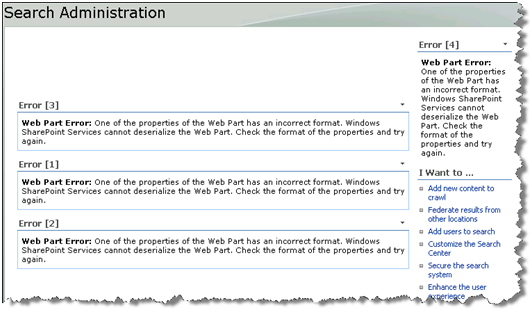
What do you do when you open your Search Administration site and it looks like this?
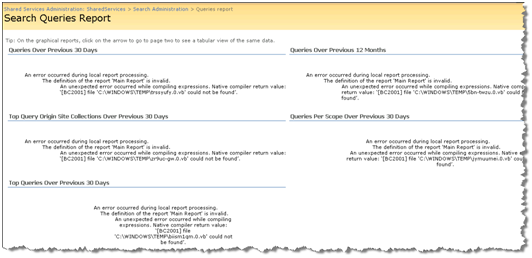
Or you open your Search Queries Report (SpUsageSSPSearchQueries.aspx) looks like this:
Or every time you open the Search Query Report you see the following in your Event Logs:
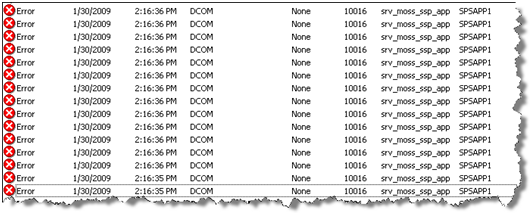
Error Details
Event Type: Error
Event Source: DCOM
Event Category: None
Event ID: 10016
Date: 1/30/2009
Time: 2:16:35 PM
User: foo\srv_moss_ssp_app
Computer: MOSS
Description: The application-specific permission settings do not grant Local Activation permission for the COM Server application with CLSID {BA126AD1-2166-11D1-B1D0-00805FC1270E} to the user foo\srv_moss_ssp_app SID (S-1-5-21-1929346206-854414880-475923621-21603). This security permission can be modified using the Component Services administrative tool.
Solution
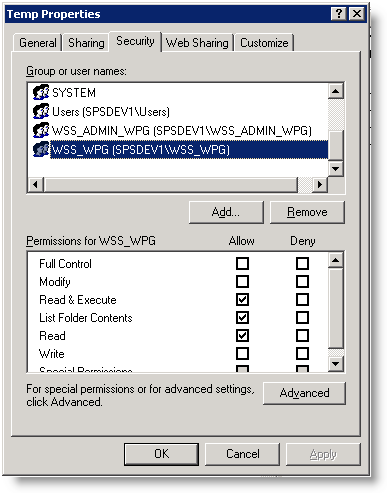
Well, I don’t know how, but the default SharePoint groups WSS_ADMIN_WPG and WSS_WPG were removed from the Windows\TEMP directory. This causes the cascading failures shown above. To resolve the problem just add the groups back to the folder. Give WSS_ADMIN_WPG Full Control. Give WS_WPG Read & Execute, List and Read rights.